Coloring for Kids: Drawing 2-6
Bimi Boo Kids Learning Games for Toddlers FZ-LLCEducational
4.2103.00 Reviews
- Version
- 1.61
- Installs
- 5.00M
- Age Rating
- Everyone
Screenshots
Our Review of Coloring for Kids: Drawing 2-6
 Analysis by Appyee
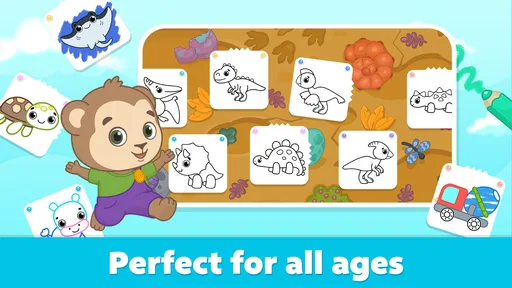
On a shared phone or tablet, a drawing game can be a handy way to give a young child something to do while an adult gets dinner ready or handles a quick task. I like that a digital canvas offers room to experiment without needing to find paper and crayons, though it cannot replace the feel of drawing with real materials. Drawing Games for Kids is aimed at children who enjoy coloring and guided creative play, and its collection of more than 200 pages gives families plenty to explore together.
A small creative break on a shared device
A realistic use for this game is a short wait: a child can choose a page and color while a parent is nearby, then show the result when the meal is ready. That makes it a better fit for supervised downtime than for handing over a device and expecting it to occupy a child indefinitely. I would treat each session as an invitation to make something, not as a substitute for conversation, outdoor play, or a hands-on activity.
It may also work well when siblings or cousins take turns. One child can choose the picture, while another suggests colors or points out details to fill in. The trade-off is that a shared screen can turn into a disagreement over whose turn it is, so I would agree on a simple turn-taking rule before opening the game rather than trying to settle it mid-session.
Set expectations before a child starts
The game is free to download, but it includes in-app purchases priced from $5.99 to $39.99 per item. On a family device, I would check the purchase settings before letting a young child play alone and make clear that choosing a page or tool is different from approving a purchase. This is a practical boundary, not a reason to avoid the game; it simply helps prevent an art session from becoming a conversation about an unexpected charge.
For a child who is still learning how to use a touchscreen, it can help to open the game together first, choose a page, and let them try the basic coloring experience while you are present. That gives you a chance to see whether the controls suit their age and patience. It also avoids assuming that every preschooler will navigate a screen independently just because the game is made for children.
On a device used by several people, I would keep the child’s play separate from an adult’s normal browsing habits and avoid leaving the device unlocked with payment access available. Those are sensible household habits for any children’s game. They matter especially when a child likes to tap through colorful menus quickly and may not understand which choices have a cost attached.
Taking turns and keeping the activity social
Coloring together can be more enjoyable when adults resist the urge to direct every choice. I would let the child pick a picture and decide what colors belong where, even if the result is a purple tree or a blue dog. Asking them to explain a choice or invent a little story about the picture turns screen time into a conversation, while still leaving the creative decisions in their hands.
If more than one child wants to use the same device, a simple rotation works better than trying to share the controls at once. A child who is waiting can suggest a color or choose the next page, then take a turn afterward. This approach is useful in a waiting room or during a quiet stretch at home, but it will not suit children who find watching someone else draw more frustrating than entertaining.
The game is also easy to pair with an offline follow-up: after coloring, invite the child to draw a similar subject on paper or describe what they would add to the picture. That gives the screen activity a natural ending and helps parents see whether the appeal is the act of making choices, the digital coloring itself, or simply having a new picture to explore.
Age, trust, and the kind of guidance children need
Its content rating is Everyone, and the game is designed as an educational activity for young children. That broad rating is useful as a starting point, but age labels cannot tell you whether a particular child is ready to use a device without help. I would make the first session a shared one, then decide whether the child can handle the menus and stay focused without an adult beside them.
It comes from Bimi Boo Kids Learning Games for Toddlers FZ-LLC, a developer focused on children’s learning games. That context makes the intended audience clear, but I would still make the same checks I use with any app: watch how a child responds to the screen, confirm they understand the household’s purchase rules, and keep playtime appropriate for their routine.
For parents wondering whether it can replace a drawing lesson, I would say no. A guided digital activity can make coloring approachable, but it is not the same as a teacher noticing how a child holds a pencil or helping them practice on paper. If your main goal is handwriting, fine-motor practice with physical tools, or structured art instruction, a paper activity or a more focused learning resource is likely the better choice.
How it fits beside other creative options
Compared with a blank drawing app, this game’s ready-made pages are helpful when a child wants to start immediately or needs a little structure. A blank canvas gives more freedom, but it can feel daunting to a young child who does not know what to draw. Conversely, children who already enjoy inventing their own pictures may find page-based coloring more limiting than open-ended sketching.
Compared with crayons and a coloring book, the digital version is convenient on the go and avoids paper scraps, but it loses the tactile experience and the keepsake quality of a physical drawing. I would choose it for a short trip or a compact shared-device activity, and choose paper when the goal is practicing pencil control, making a display-worthy picture, or enjoying a screen-free afternoon.
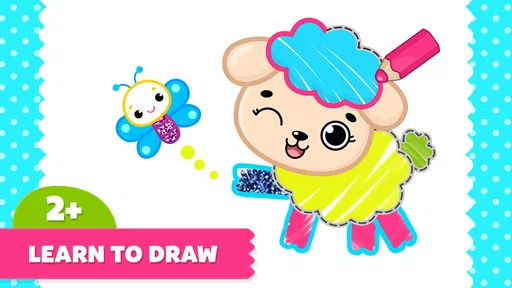
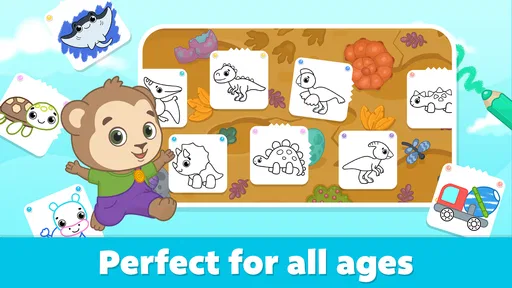
The game’s store summary describes a coloring collection with over 200 pages for painting. That breadth can make it easier to find something that catches a child’s interest, though a large selection may also lead to repeated browsing instead of actually coloring. One useful routine is to let the child pick from a small number of options at the start of a session, then spend the rest of the time on the chosen page.
First Impressions
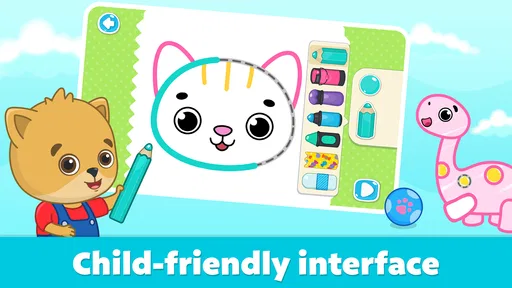
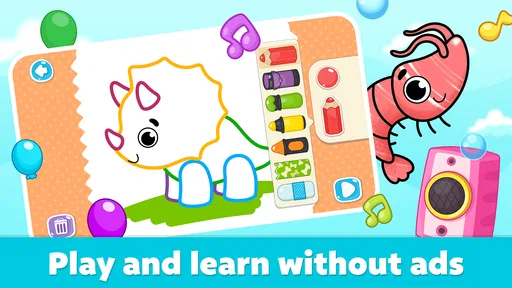
From the moment I launched Drawing Games for Kids, I was greeted with a vibrant and intuitive interface. The colors are bright, and everything looks super inviting for kids. It's like stepping into a digital art studio that’s designed to spark creativity and fun. The app is packed with a variety of tools and features that even I found exciting, and I'm way past my crayon days!
Features That Stand Out
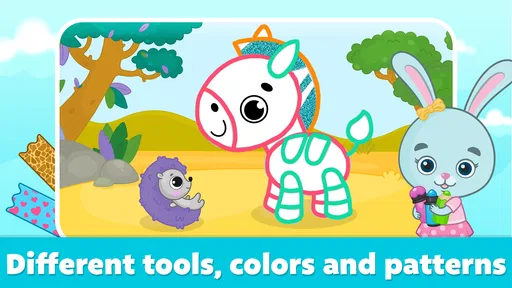
One of the features that really caught my attention was the wide range of drawing options. The app includes everything from simple doodles to more structured drawing lessons. This means kids can either have fun scribbling away or learn to draw specific shapes and objects, which is pretty cool.
The app also includes interactive elements, like animated characters that guide the kids through the drawing process. It's not just a drawing app; it's an interactive adventure where kids learn while having a blast. And let's not forget about the sticker gallery – with a plethora of stickers to add to their drawings, it's a surefire hit.
Usability for Kids
Usability is a big deal when it comes to apps for kids, and this one nails it. The controls are simple, and the app is designed so that kids can navigate through it easily without needing much help from adults. There's even a voice guide that helps kids understand what each tool does, making it super accessible.
Another thing I love is the lack of intrusive ads. There are some, but they're minimal and don't disrupt the experience. Plus, there’s an option to upgrade to an ad-free version, which is always a plus.
Educational Value
Okay, so beyond the fun, the game has some serious educational chops. The app encourages kids to explore their creativity, which is a vital skill for problem-solving and cognitive development. There are also sections where kids can learn about colors, shapes, and even some basic art history. It’s like sneaking veggies into their favorite meal – they’re learning without realizing it.
Compatibility and Performance
The app performs smoothly on both Android and iOS devices. I tested it on a couple of different phones and tablets, and it worked flawlessly each time. The developers clearly put a lot of effort into ensuring the app runs smoothly, which is a relief because there's nothing worse than an app crashing right in the middle of a masterpiece!
Installation is a breeze, and the app doesn't take up much space, so it won't clog up your device. Plus, regular updates keep it fresh with new content and features.
Final Thoughts
So, would I recommend Drawing Games for Kids? Absolutely. It's a fantastic app that blends fun and education seamlessly. Whether your child is a budding Picasso or just loves to doodle, this app provides a safe and engaging environment for them to express themselves.
It's more than just an app; it's a tool that fosters creativity, learning, and fun. So, if you're on the lookout for a way to keep your kids entertained while also giving them a creative outlet, give this app a try. You might just find yourself joining in on the fun!
Who I think will enjoy it most
I would recommend it first to families with toddlers and younger children who are curious about colors and like following a visual prompt. It can also suit a child who wants to make a picture but needs a starting point, since choosing a page is often easier than facing a completely blank screen. The educational angle is most useful when an adult occasionally joins in and asks the child to notice shapes, compare colors, or describe what they have made.
On the other hand, I would skip it for a child who is already looking for advanced drawing tools, precise brush control, or a serious digital illustration workspace. The emphasis here is child-friendly coloring and guided play, not professional art. It may also be a poor fit for a household trying to reduce screen use, or for a child who becomes upset when asked to stop after a short activity.
The game is free to start, has an average rating of 4.1 from around 9,300 ratings, and has been installed over a million times. Those figures suggest it has found a sizeable audience, but they are not a substitute for checking whether its style works for your child. It was released on February 1, 2023, and the current version is 1.43; it requires Android 7.0 or later. I would check the relevant device’s compatibility before planning to use it on an older tablet.
A few practical trade-offs before downloading
One detail worth keeping in mind is that a guided page can make starting easier, but it can also nudge a child toward completing the app’s idea of a picture rather than inventing one from scratch. I would balance that by asking what else could be added or by following the screen activity with free drawing on paper. That small change keeps the structured prompt from becoming the only way the child thinks about making art.
Another useful tip is to make the device’s brightness and volume comfortable before handing it over. A child may focus on the colorful page and not notice that the screen is too bright or a voice prompt is too loud for the setting. In a quiet waiting area, I would keep the sound low and stay close enough to help, rather than assuming a voice guide makes adult supervision unnecessary.
Because the game offers a substantial collection, browsing can take up more of a short session than the drawing itself. I would decide on a simple endpoint beforehand, such as finishing one page or playing until it is time to leave. That is easier for a young child to understand than an open-ended promise of “a little more,” and it helps the game fit into a household routine without turning every transition into a negotiation.
Household verdict
As a shared-device activity, I see this as a convenient option for a calm, supervised creative break rather than a complete art solution or an automatic babysitter. Its child-oriented pages and playful presentation can help a young artist get started, while its purchase options and screen-based format call for ordinary family boundaries. If your child enjoys coloring and you are comfortable setting limits around device use, it is worth trying; if you want open-ended drawing, physical art practice, or a fully screen-free activity, paper and crayons are still the better choice.
Privacy and Permissions
See what permissions an app requests and how it handles your data.
- Other
- view network connections, full network access, control vibration, prevent device from sleeping
Verdict
Strengths of Coloring for Kids: Drawing 2-6
- Simple interface for young users.
- Wide variety of drawing tools.
- Encourages creativity and learning.
- No ads in the premium version.
- Offline mode available.
Limitations of Coloring for Kids: Drawing 2-6
- Limited free content access.
- In-app purchases can be costly.
- Some tools hard for toddlers.
- Basic graphics compared to peers.
- Occasional app crashes reported.
Other Releases by Bimi Boo Kids Learning Games for Toddlers FZ-LLC
View All
Baby Piano: Kids Music Games
Music4.1

Toddler Games for 2+ year olds
Educational4.4

Coloring Book - Games for Kids
Educational4.4

Kids doctor games 2-5 year old
Educational4.5
Similar Picks in This Category
View All
Little Panda Policeman
BabyBus4.0

Monster Trucks Game for Kids 2
Raz Games4.1

Little Panda's Chinese Recipes
BabyBus4.4

Little Panda's Restaurant
BabyBus4.4

Little Panda's Ice Cream Games
BabyBus4.3

Baby Panda Care
BabyBus3.8
Frequently Asked Questions
What age group is Drawing Games for Kids suitable for?
Drawing Games for Kids is designed for children aged 3 to 8 years old. The app features intuitive controls and engaging content that cater to young minds, helping them develop creativity and fine motor skills. Parents can be assured that the app's content is appropriate and safe for their children.
Does Drawing Games for Kids require an internet connection?
No, Drawing Games for Kids can be used offline. Once downloaded, children can enjoy all the drawing and coloring features without needing an internet connection, making it perfect for use during travel or in areas with limited connectivity.
Are there any in-app purchases in Drawing Games for Kids?
Yes, Drawing Games for Kids includes optional in-app purchases. While the app offers a variety of free content, additional drawing tools, and coloring pages can be purchased to enhance the experience. Parents can manage these purchases through device settings to prevent unauthorized transactions.
Is the app safe for children in terms of data privacy?
Drawing Games for Kids prioritizes user privacy and does not collect personal data from children. The app complies with COPPA regulations, ensuring that any data collected is used solely to enhance app functionality, with parental consent as required.
What features does Drawing Games for Kids offer to enhance creativity?
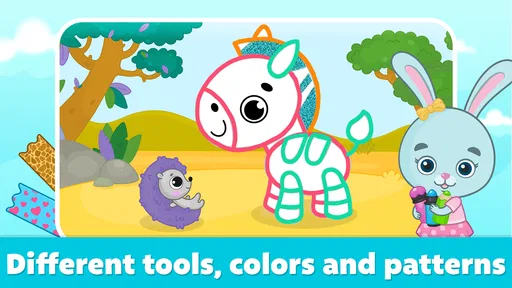
The app offers a variety of tools such as brushes, colors, and stickers to stimulate creativity. It includes guided drawing tutorials and free-draw modes, allowing children to explore their artistic skills. The app also provides themed coloring pages and interactive elements to keep kids engaged.
Play our best games!


